這是一個常見的畫板功能,常用於畫畫和手寫輸入等等,今天就教大家實現這個小功能,這個功能還是比較簡單的,只有一個Java文件
先看效果圖
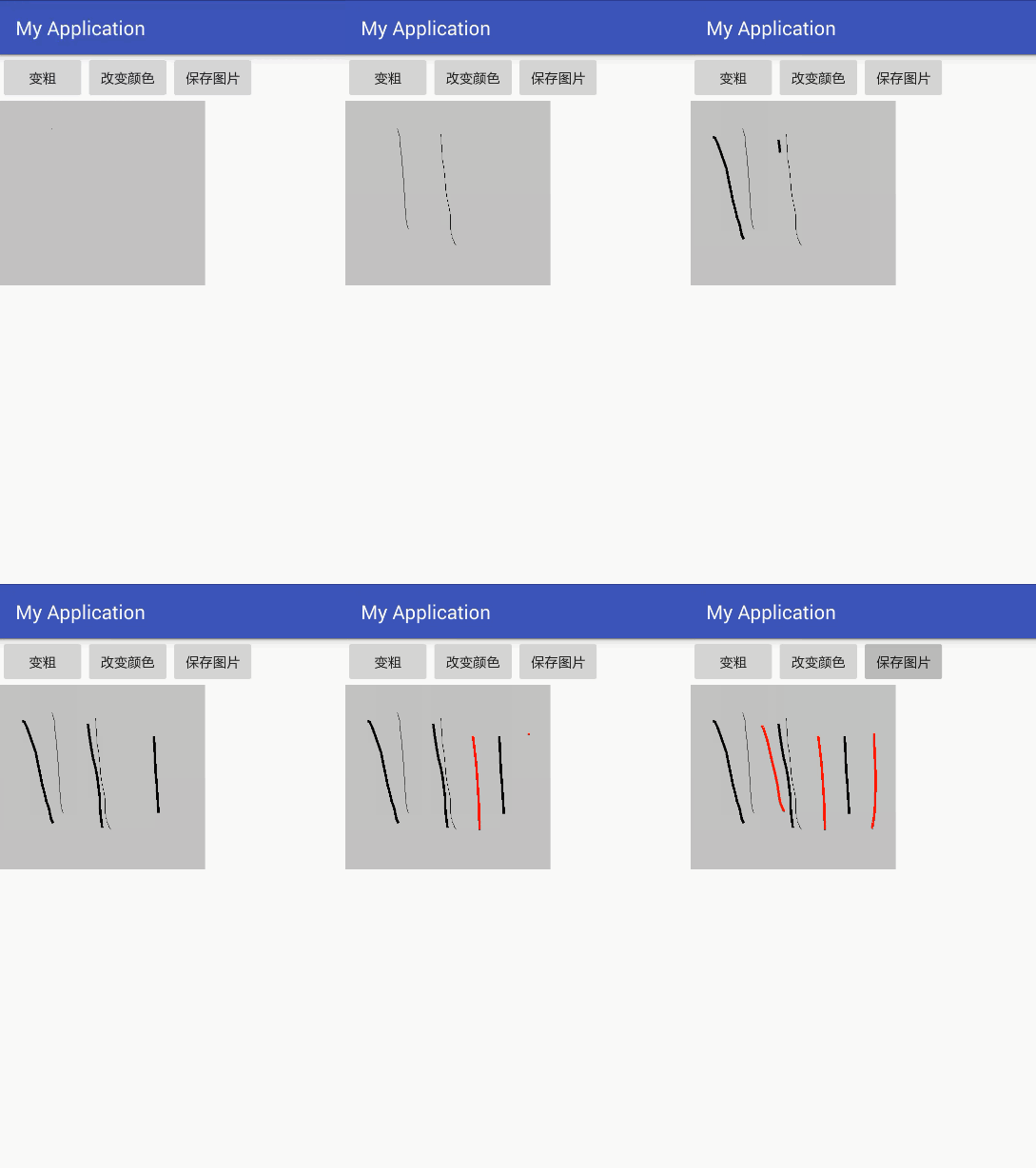
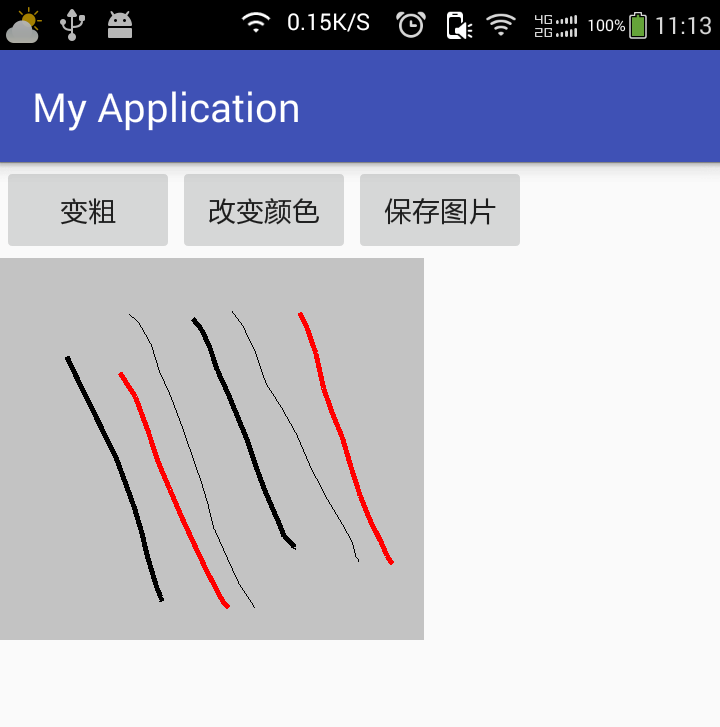
佈局代碼,只有三個按鈕和一張圖片
<?xml version="1.0" encoding="utf-8"?>
<LinearLayout xmlns:android="http://schemas.android.com/apk/res/android"
    xmlns:tools="http://schemas.android.com/tools"
    android:id="@+id/activity_main2"
    android:layout_width="match_parent"
    android:layout_height="match_parent"
    android:orientation="vertical"
    tools:context="com.example.dell.myapplication.Main2Activity">

    <LinearLayout
        android:orientation="horizontal"
        android:layout_width="match_parent"
        android:layout_height="wrap_content">

        <Button
            android:layout_width="wrap_content"
            android:layout_height="wrap_content"
            android:onClick="bold"
            android:text="變粗" />

        <Button
            android:layout_width="wrap_content"
            android:layout_height="wrap_content"
            android:onClick="changeColor"
            android:text="改變顏色" />

        <Button
            android:layout_width="wrap_content"
            android:layout_height="wrap_content"
            android:onClick="save"
            android:text="保存圖片" />


    </LinearLayout>

    <LinearLayout
        android:layout_width="wrap_content"
        android:layout_height="wrap_content">

        <ImageView
            android:id="@+id/iv_image"
            android:layout_width="wrap_content"
            android:layout_height="wrap_content" />
    </LinearLayout>

</LinearLayout>
Java代碼,每個方法都很明瞭,其中最重要的是ImageView的觸摸事件,這是畫畫的關鍵,還要留意圖片的初始化操作
public class Main2Activity extends AppCompatActivity {
    private ImageView imageView;
    private Bitmap copyBitmap;
    private Paint paint;
    private Canvas canvas;
    private float startX;
    private float startY;

    @Override
    protected void onCreate(Bundle savedInstanceState) {
        super.onCreate(savedInstanceState);
        setContentView(R.layout.activity_main2);

        imageView = (ImageView) findViewById(R.id.iv_image);
        //使用Bitmap工廠把圖片加載進來
        Bitmap bitmap = BitmapFactory.decodeResource(getResources(), R.drawable.huaban);
        //創建一個空的圖片,寬度和高度 還有信息跟原圖片一樣
        copyBitmap = Bitmap.createBitmap(bitmap.getWidth(), bitmap.getHeight(), bitmap.getConfig());
        //創建畫筆
        paint = new Paint();
        //創建一個畫布
        canvas = new Canvas(copyBitmap);
        //開始畫畫
        canvas.drawBitmap(bitmap, new Matrix(), paint);
        imageView.setImageBitmap(copyBitmap);

        //圖片的觸摸事件
        imageView.setOnTouchListener(new View.OnTouchListener() {
            @Override
            public boolean onTouch(View v, MotionEvent event) {
                //獲取動作的事件
                int action = event.getAction();
                switch (action) {
                    case MotionEvent.ACTION_DOWN:
                        //按下事件
                        startX = event.getX();
                        startY = event.getY();
                        Log.e("按下", startX + "," + startY);
                        break;
                    case MotionEvent.ACTION_MOVE:
                        //滑動事件
                        float x = event.getX();
                        float y = event.getY();
                        //在畫布上畫直線,不能畫點,滑動事件獲得的座標不是連續的
                        canvas.drawLine(startX, startY, x, y, paint);
                        //更新圖片
                        imageView.setImageBitmap(copyBitmap);
                        startX = x;
                        startY = y;
                        Log.e("滑動", x + "," + y);
                        break;
                    case MotionEvent.ACTION_UP:
                        //抬起事件
                        float upX = event.getX();
                        float upY = event.getY();
                        Log.e("抬起", upX + "," + upY);
                        break;
                }
                //必須設置爲true,否則只執行按下事件
                return true;
            }
        });

    }

    //修改畫筆的顏色
    public void changeColor(View view) {
        paint.setColor(Color.RED);
    }

    //設置畫筆的粗細
    public void bold(View view) {
        paint.setStrokeWidth(5);
    }

    //保存圖片
    public void save(View view) {
        //創建一個圖片的文件
        File file = new File(Environment.getExternalStorageDirectory(), System.currentTimeMillis() + ".png");
        FileOutputStream straeam;
        try {
            straeam = new FileOutputStream(file);
            //生成圖片,參數①爲圖片的類型,參數②爲圖片質量,參數③爲文件輸出流
            copyBitmap.compress(Bitmap.CompressFormat.PNG, 100, straeam);
            Toast.makeText(this, "保存成功", Toast.LENGTH_SHORT).show();
        } catch (FileNotFoundException e) {
            e.printStackTrace();
        }
    }
}