This is a common drawing board feature, often used for drawing, handwriting input, and more. Today, I’ll teach you how to implement this small function. It’s relatively simple and only requires one Java file.
First, look at the effect diagram
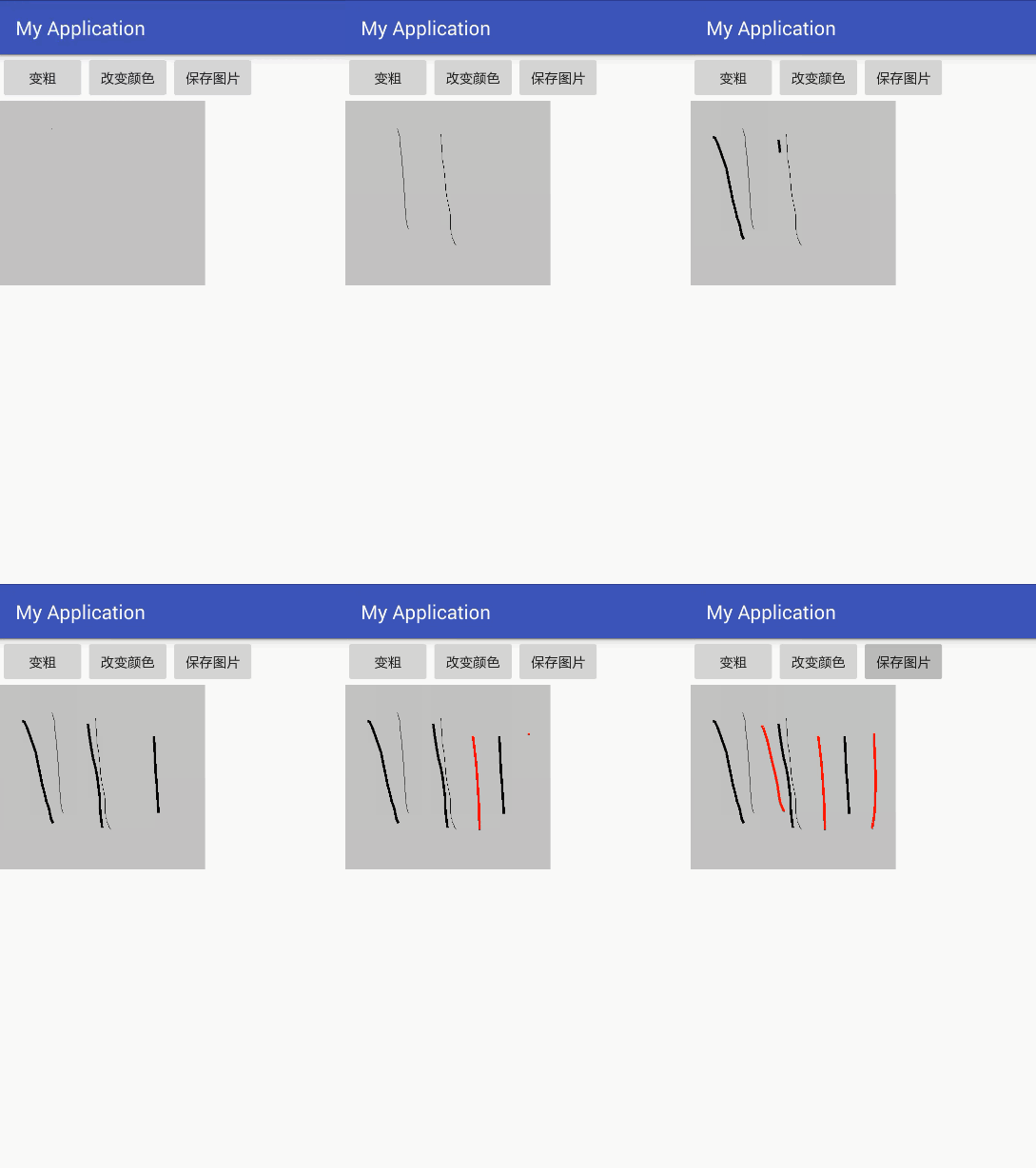
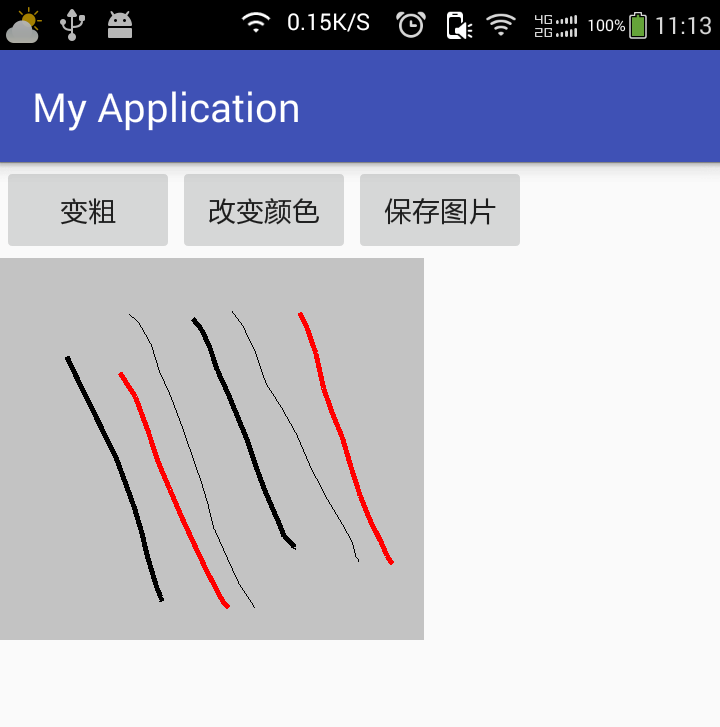
Layout code, which has only three buttons and one image.
<?xml version="1.0" encoding="utf-8"?>
<LinearLayout xmlns:android="http://schemas.android.com/apk/res/android"
    xmlns:tools="http://schemas.android.com/tools"
    android:id="@+id/activity_main2"
    android:layout_width="match_parent"
    android:layout_height="match_parent"
    android:orientation="vertical"
    tools:context="com.example.dell.myapplication.Main2Activity">

    <LinearLayout
        android:orientation="horizontal"
        android:layout_width="match_parent"
        android:layout_height="wrap_content">

        <Button
            android:layout_width="wrap_content"
            android:layout_height="wrap_content"
            android:onClick="bold"
            android:text="变粗" />

        <Button
            android:layout_width="wrap_content"
            android:layout_height="wrap_content"
            android:onClick="changeColor"
            android:text="改变颜色" />

        <Button
            android:layout_width="wrap_content"
            android:layout_height="wrap_content"
            android:onClick="save"
            android:text="保存图片" />


    </LinearLayout>

    <LinearLayout
        android:layout_width="wrap_content"
        android:layout_height="wrap_content">

        <ImageView
            android:id="@+id/iv_image"
            android:layout_width="wrap_content"
            android:layout_height="wrap_content" />
    </LinearLayout>

</LinearLayout>
Java code, each method is clear. The most important part is the touch event of the ImageView, which is the key to drawing. Also, pay attention to the image initialization operation.
public class Main2Activity extends AppCompatActivity {
    private ImageView imageView;
    private Bitmap copyBitmap;
    private Paint paint;
    private Canvas canvas;
    private float startX;
    private float startY;

    @Override
    protected void onCreate(Bundle savedInstanceState) {
        super.onCreate(savedInstanceState);
        setContentView(R.layout.activity_main2);

        imageView = (ImageView) findViewById(R.id.iv_image);
        // Load the image using the Bitmap factory
        Bitmap bitmap = BitmapFactory.decodeResource(getResources(), R.drawable.huaban);
        // Create an empty image with the same width, height, and configuration as the original image
        copyBitmap = Bitmap.createBitmap(bitmap.getWidth(), bitmap.getHeight(), bitmap.getConfig());
        // Create a paintbrush
        paint = new Paint();
        // Create a canvas
        canvas = new Canvas(copyBitmap);
        // Start drawing
        canvas.drawBitmap(bitmap, new Matrix(), paint);
        imageView.setImageBitmap(copyBitmap);

        // Image touch event
        imageView.setOnTouchListener(new View.OnTouchListener() {
            @Override
            public boolean onTouch(View v, MotionEvent event) {
                // Get the action type of the event
                int action = event.getAction();
                switch (action) {
                    case MotionEvent.ACTION_DOWN:
                        // Press event
                        startX = event.getX();
                        startY = event.getY();
                        Log.e("Pressed", startX + "," + startY);
                        break;
                    case MotionEvent.ACTION_MOVE:
                        // Swipe event
                        float x = event.getX();
                        float y = event.getY();
                        // Draw a straight line on the canvas (can't draw just a point; the coordinates from the swipe event are not continuous)
                        canvas.drawLine(startX, startY, x, y, paint);
                        // Update the image
                        imageView.setImageBitmap(copyBitmap);
                        startX = x;
                        startY = y;
                        Log.e("Swipe", x + "," + y);
                        break;
                    case MotionEvent.ACTION_UP:
                        // Release event
                        float upX = event.getX();
                        float upY = event.getY();
                        Log.e("Released", upX + "," + upY);
                        break;
                }
                // Must return true to ensure only the down event is triggered
                return true;
            }
        });

    }

    // Modify the color of the paintbrush
    public void changeColor(View view) {
        paint.setColor(Color.RED);
    }

    // Set the thickness of the paintbrush
    public void bold(View view) {
        paint.setStrokeWidth(5);
    }

    // Save the image
    public void save(View view) {
        // Create a file for the image
        File file = new File(Environment.getExternalStorageDirectory(), System.currentTimeMillis() + ".png");
        FileOutputStream stream;
        try {
            stream = new FileOutputStream(file);
            // Generate the image: parameter ① image type, parameter ② image quality, parameter ③ file output stream
            copyBitmap.compress(Bitmap.CompressFormat.PNG, 100, stream);
            Toast.makeText(this, "Saved successfully", Toast.LENGTH_SHORT).show();
        } catch (FileNotFoundException e) {
            e.printStackTrace();
        }
    }
}