View animations allow images on an ImageView to be displayed through processes like hiding, rotating, scaling, and translating via animation.
Layout Code
To set the image, use the src attribute:
<Button
    android:text="Transparent Animation"
    android:id="@+id/button2"
    android:layout_width="wrap_content"
    android:layout_height="wrap_content" />

<ImageView
    android:id="@+id/alpha_image"
    android:src="@mipmap/ic_launcher"
    android:layout_width="match_parent"
    android:layout_height="match_parent" />
Java Code
final ImageView alpha = (ImageView) findViewById(R.id.alpha_image);
Button button = (Button) findViewById(R.id.button2);

button.setOnClickListener(new View.OnClickListener() {

    @Override
    public void onClick(View v) {
        /**
         * AlphaAnimation: Transparent Animation
         * RotateAnimation: Rotation Animation
         * ScaleAnimation: Scale Animation
         * TranslateAnimation: Translation Animation
         * AnimationSet: Combined Animation
         * First parameter: start opacity
         * Second parameter: end opacity
         */
        AlphaAnimation alphaAnimation = new AlphaAnimation(1.0f, 0.0f);
        alphaAnimation.setDuration(2000); // Animation duration
        alphaAnimation.setRepeatMode(Animation.REVERSE); // Repeat mode
        alphaAnimation.setRepeatCount(2); // Number of repeats
        alphaAnimation.setFillAfter(false); // Keep final state after animation
        alpha.startAnimation(alphaAnimation); // Start animation
    }
});
Effect Diagram
With just a few lines of code, the effect is achieved:

Important Notes
Some developers use the following approach, which may fail on certain devices due to compatibility issues:
imageView.setAnimation(alphaAnimation);
alphaAnimation.start();
Correct Approach: Always use startAnimation() on the target view.
Java Code for Various Animations
Animations are typically divided into four categories. Let’s create a project to experiment with them.
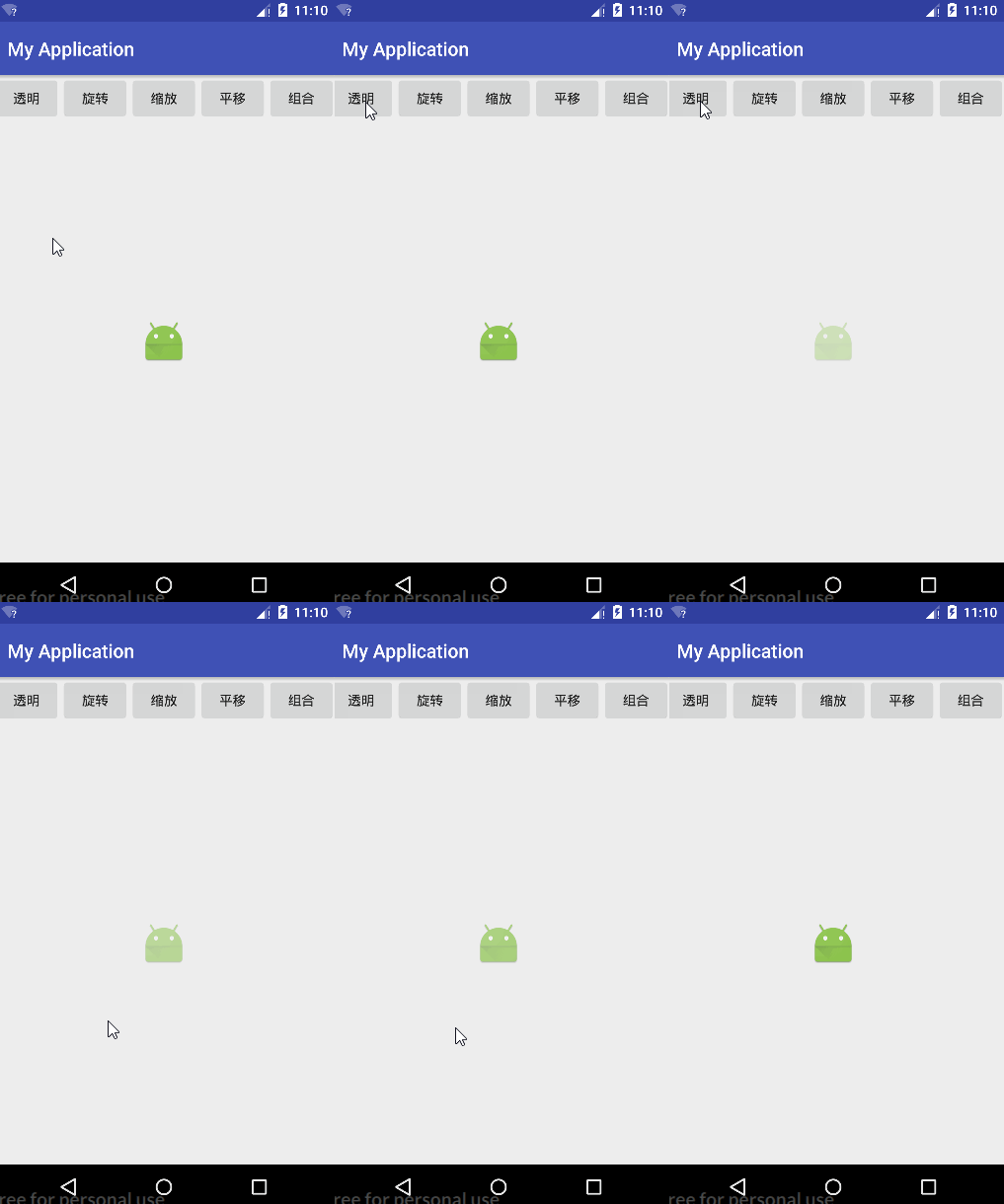
Transparent Animation
// AlphaAnimation: Transparent Animation
// First parameter: start opacity (1.0 = fully opaque, 0.0 = fully transparent)
AlphaAnimation alphaAnimation = new AlphaAnimation(1.0f, 0.0f);
alphaAnimation.setDuration(2000);
alphaAnimation.setRepeatMode(Animation.REVERSE);
alphaAnimation.setRepeatCount(2);
alphaAnimation.setFillAfter(false);
imageView.startAnimation(alphaAnimation);
Effect Diagram:
Rotation Animation
// RotateAnimation: Rotation Animation
// Parameters: start angle, end angle, rotation pivot X/Y type, pivot coordinates
RotateAnimation rotateAnimation = new RotateAnimation(
    0, 360,
    Animation.RELATIVE_TO_SELF, 0.5f, // Pivot X: center of self
    Animation.RELATIVE_TO_PARENT, 0.5f // Pivot Y: center of parent
);
rotateAnimation.setDuration(2000);
rotateAnimation.setRepeatMode(Animation.REVERSE);
rotateAnimation.setRepeatCount(2);
rotateAnimation.setFillAfter(false);
imageView.startAnimation(rotateAnimation);
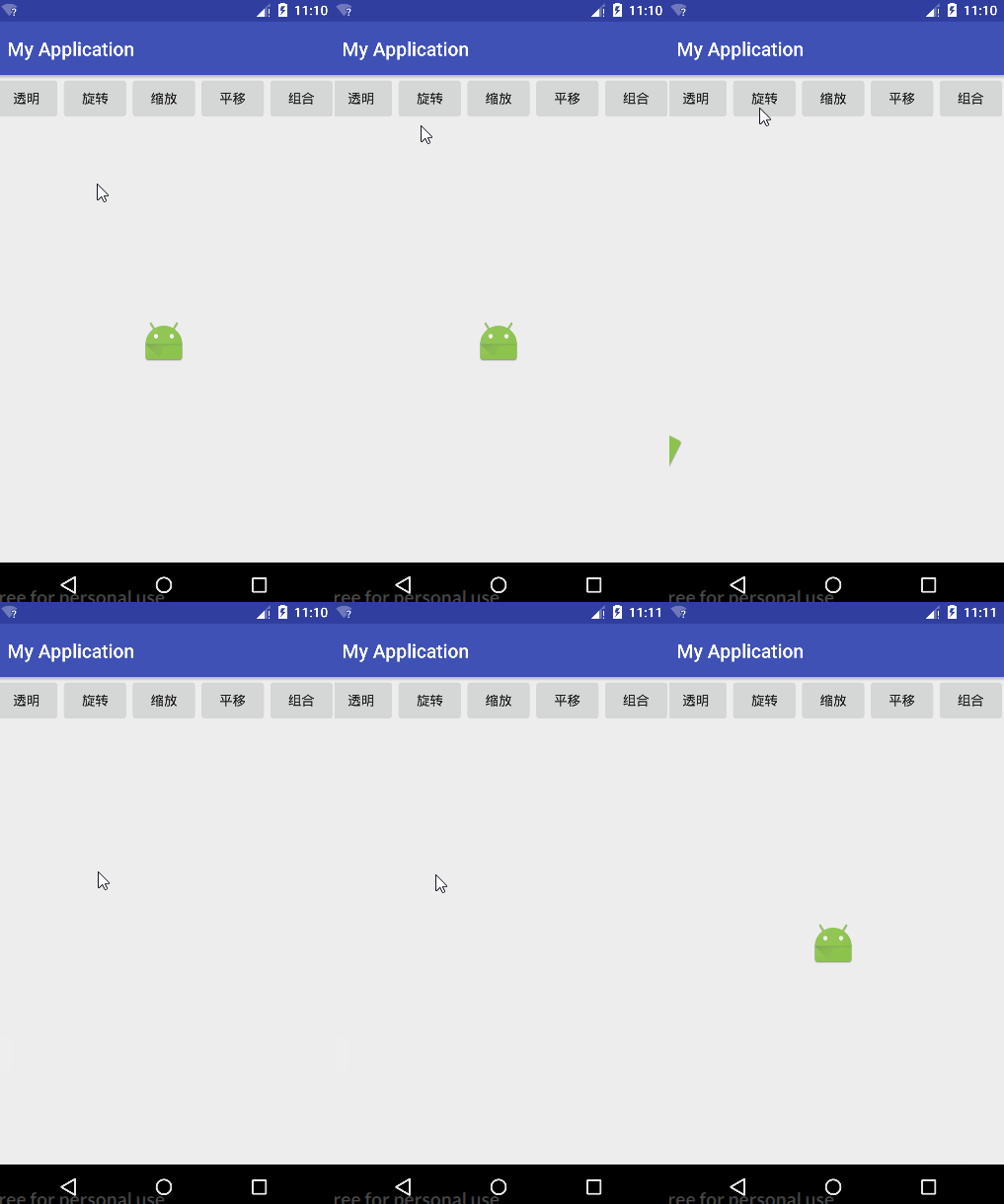
Effect Diagram:
Scale Animation
// ScaleAnimation: Scale Animation
ScaleAnimation scaleAnimation = new ScaleAnimation(
    1, 2,  // X-axis: 1x to 2x
    1, 2,  // Y-axis: 1x to 2x
    Animation.RELATIVE_TO_SELF, 0.5f, // Pivot X: center of self
    Animation.RELATIVE_TO_PARENT, 0.5f // Pivot Y: center of parent
);
scaleAnimation.setDuration(2000);
scaleAnimation.setRepeatMode(Animation.REVERSE);
scaleAnimation.setRepeatCount(2);
scaleAnimation.setFillAfter(false);
imageView.startAnimation(scaleAnimation);
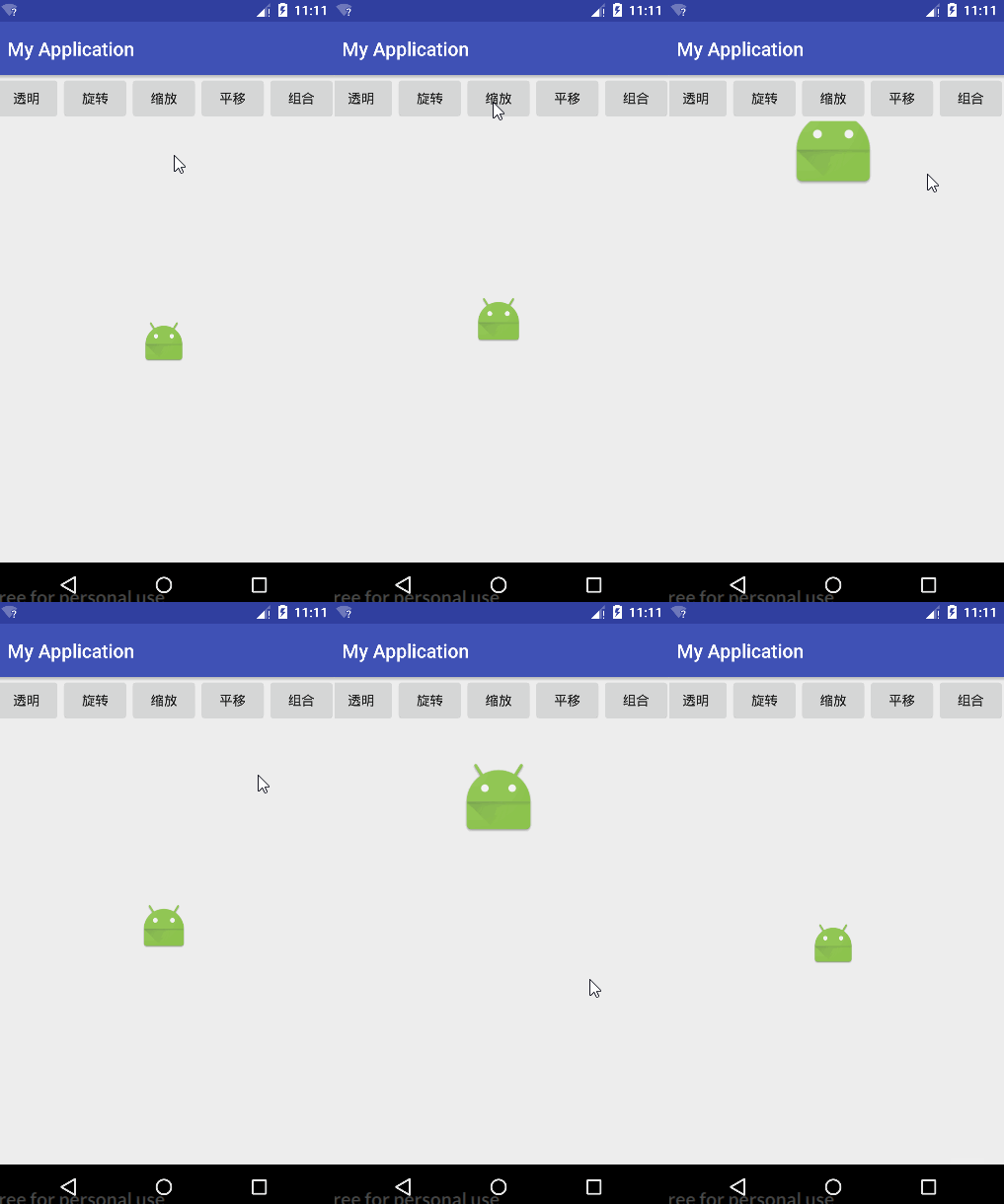
Effect Diagram:
Translation Animation
// TranslateAnimation: Translation Animation
TranslateAnimation translateAnimation = new TranslateAnimation(
    Animation.RELATIVE_TO_PARENT, -0.5f, Animation.RELATIVE_TO_PARENT, 0.5f, // X-axis: -50% to +50% of parent
    Animation.RELATIVE_TO_PARENT, -0.5f, Animation.RELATIVE_TO_PARENT, 0.5f  // Y-axis: -50% to +50% of parent
);
translateAnimation.setDuration(2000);
translateAnimation.setRepeatMode(Animation.REVERSE);
translateAnimation.setRepeatCount(2);
translateAnimation.setFillAfter(true);
translateAnimation.setInterpolator(new BounceInterpolator()); // Bounce effect
imageView.startAnimation(translateAnimation);
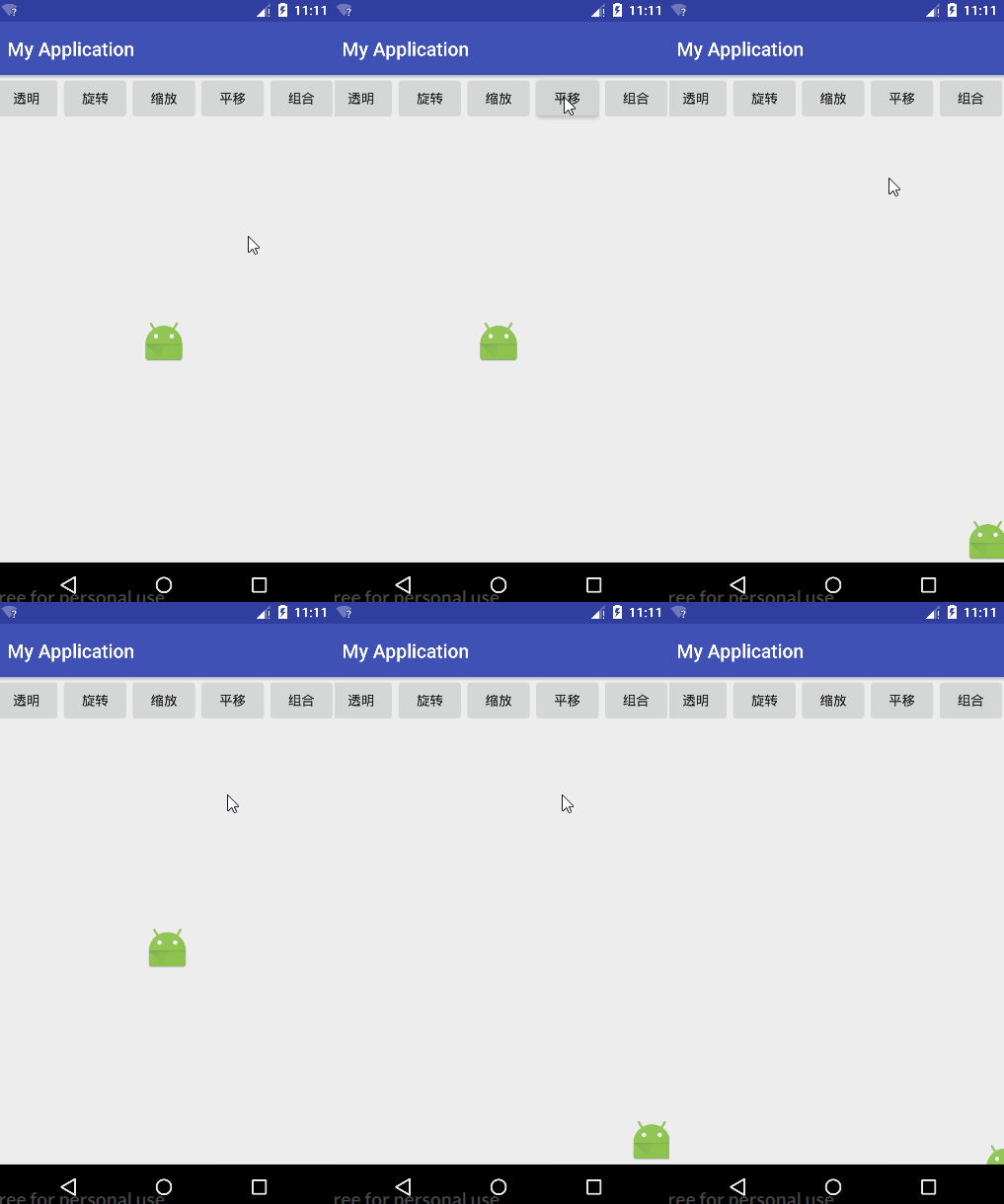
Effect Diagram:
Combined Animation
// AnimationSet: Combined Animation
AnimationSet animationSet = new AnimationSet(false);

// Add Transparent Animation
AlphaAnimation alphaAnimation = new AlphaAnimation(1.0f, 0.0f);
alphaAnimation.setDuration(2000);
alphaAnimation.setRepeatMode(Animation.REVERSE);
alphaAnimation.setRepeatCount(2);
alphaAnimation.setFillAfter(false);
animationSet.addAnimation(alphaAnimation);

// Add Rotation Animation
RotateAnimation rotateAnimation = new RotateAnimation(
    0, 360,
    Animation.RELATIVE_TO_SELF, 0.5f,
    Animation.RELATIVE_TO_PARENT, 0.5f
);
rotateAnimation.setDuration(2000);
rotateAnimation.setRepeatMode(Animation.REVERSE);
rotateAnimation.setRepeatCount(2);
rotateAnimation.setFillAfter(false);
animationSet.addAnimation(rotateAnimation);

// Add Scale Animation
ScaleAnimation scaleAnimation = new ScaleAnimation(
    1, 2, 1, 2,
    Animation.RELATIVE_TO_SELF, 0.5f,
    Animation.RELATIVE_TO_PARENT, 0.5f
);
scaleAnimation.setDuration(2000);
scaleAnimation.setRepeatMode(Animation.REVERSE);
scaleAnimation.setRepeatCount(2);
scaleAnimation.setFillAfter(false);
animationSet.addAnimation(scaleAnimation);

// Add Translation Animation
TranslateAnimation translateAnimation = new TranslateAnimation(
    Animation.RELATIVE_TO_PARENT, -0.5f, Animation.RELATIVE_TO_PARENT, 0.5f,
    Animation.RELATIVE_TO_PARENT, -0.5f, Animation.RELATIVE_TO_PARENT, 0.5f
);
translateAnimation.setDuration(2000);
translateAnimation.setRepeatMode(Animation.REVERSE);
translateAnimation.setRepeatCount(2);
translateAnimation.setFillAfter(true);
translateAnimation.setInterpolator(new BounceInterpolator());
animationSet.addAnimation(translateAnimation);

imageView.startAnimation(animationSet); // Start combined animation
Effect Diagram:
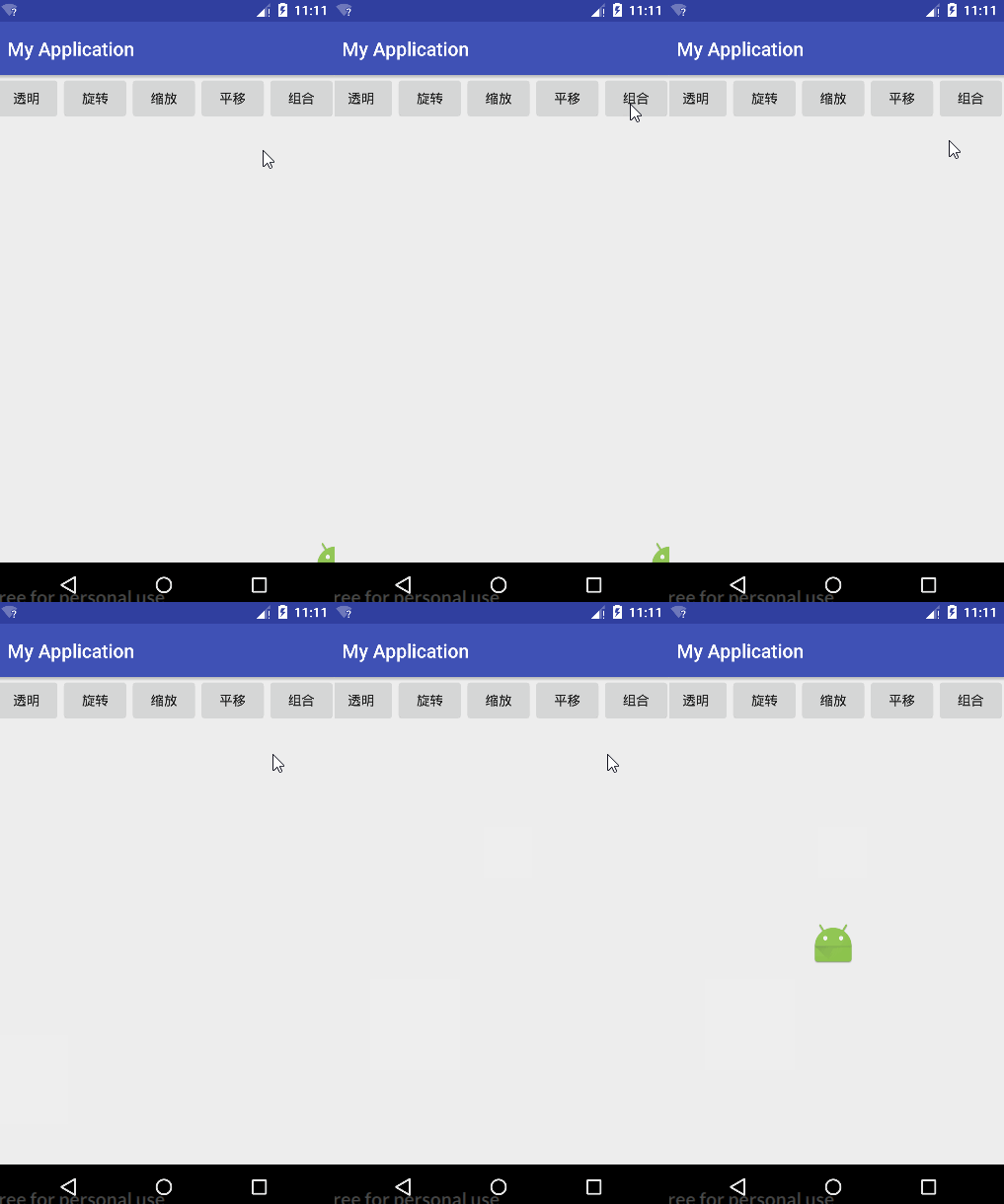
Complete Code
activity_main.xml
<?xml version="1.0" encoding="utf-8"?>
<LinearLayout xmlns:android="http://schemas.android.com/apk/res/android"
    xmlns:tools="http://schemas.android.com/tools"
    android:id="@+id/activity_main"
    android:layout_width="match_parent"
    android:layout_height="match_parent"
    android:orientation="vertical"
    tools:context="com.example.dell.myapplication.MainActivity">

    <LinearLayout
        android:layout_width="match_parent"
        android:layout_height="wrap_content">

        <Button
            android:layout_width="0dp"
            android:layout_height="wrap_content"
            android:layout_weight="1"
            android:onClick="alpha"
            android:text="Transparent" />

        <Button
            android:layout_width="0dp"
            android:layout_height="wrap_content"
            android:layout_weight="1"
            android:onClick="rotate"
            android:text="Rotate" />

        <Button
            android:layout_width="0dp"
            android:layout_height="wrap_content"
            android:layout_weight="1"
            android:onClick="scale"
            android:text="Scale" />

        <Button
            android:layout_width="0dp"
            android:layout_height="wrap_content"
            android:layout_weight="1"
            android:onClick="translate"
            android:text="Translate" />

        <Button
            android:layout_width="0dp"
            android:layout_height="wrap_content"
            android:layout_weight="1"
            android:onClick="set"
            android:text="Combined" />
    </LinearLayout>

    <LinearLayout
        android:gravity="center"
        android:layout_width="match_parent"
        android:layout_height="match_parent">

        <ImageView
            android:id="@+id/imageView"
            android:src="@mipmap/ic_launcher"
            android:layout_width="wrap_content"
            android:layout_height="wrap_content" />
    </LinearLayout>
</LinearLayout>
MainActivity.java
import android.os.Bundle;
import android.support.v7.app.AppCompatActivity;
import android.view.View;
import android.view.animation.AlphaAnimation;
import android.view.animation.Animation;
import android.view.animation.AnimationSet;
import android.view.animation.BounceInterpolator;
import android.view.animation.RotateAnimation;
import android.view.animation.ScaleAnimation;
import android.view.animation.TranslateAnimation;
import android.widget.ImageView;

public class MainActivity extends AppCompatActivity {

    private ImageView imageView;

    @Override
    protected void onCreate(Bundle savedInstanceState) {
        super.onCreate(savedInstanceState);
        setContentView(R.layout.activity_main);
        imageView = (ImageView) findViewById(R.id.imageView);
    }

    public void alpha(View view) {
        AlphaAnimation alphaAnimation = new AlphaAnimation(1.0f, 0.0f);
        alphaAnimation.setDuration(2000);
        alphaAnimation.setRepeatMode(Animation.REVERSE);
        alphaAnimation.setRepeatCount(2);
        alphaAnimation.setFillAfter(false);
        imageView.startAnimation(alphaAnimation);
    }

    public void rotate(View view) {
        RotateAnimation rotateAnimation = new RotateAnimation(
            0, 360,
            Animation.RELATIVE_TO_SELF, 0.5f,
            Animation.RELATIVE_TO_PARENT, 0.5f
        );
        rotateAnimation.setDuration(2000);
        rotateAnimation.setRepeatMode(Animation.REVERSE);
        rotateAnimation.setRepeatCount(2);
        rotateAnimation.setFillAfter(false);
        imageView.startAnimation(rotateAnimation);
    }

    public void scale(View view) {
        ScaleAnimation scaleAnimation = new ScaleAnimation(
            1, 2, 1, 2,
            Animation.RELATIVE_TO_SELF, 0.5f,
            Animation.RELATIVE_TO_PARENT, 0.5f
        );
        scaleAnimation.setDuration(2000);
        scaleAnimation.setRepeatMode(Animation.REVERSE);
        scaleAnimation.setRepeatCount(2);
        scaleAnimation.setFillAfter(false);
        imageView.startAnimation(scaleAnimation);
    }

    public void translate(View view) {
        TranslateAnimation translateAnimation = new TranslateAnimation(
            Animation.RELATIVE_TO_PARENT, -0.5f, Animation.RELATIVE_TO_PARENT, 0.5f,
            Animation.RELATIVE_TO_PARENT, -0.5f, Animation.RELATIVE_TO_PARENT, 0.5f
        );
        translateAnimation.setDuration(2000);
        translateAnimation.setRepeatMode(Animation.REVERSE);
        translateAnimation.setRepeatCount(2);
        translateAnimation.setFillAfter(true);
        translateAnimation.setInterpolator(new BounceInterpolator());
        imageView.startAnimation(translateAnimation);
    }

    public void set(View view) {
        AnimationSet animationSet = new AnimationSet(false);

        AlphaAnimation alphaAnimation = new AlphaAnimation(1.0f, 0.0f);
        alphaAnimation.setDuration(2000);
        alphaAnimation.setRepeatMode(Animation.REVERSE);
        alphaAnimation.setRepeatCount(2);
        alphaAnimation.setFillAfter(false);
        animationSet.addAnimation(alphaAnimation);

        RotateAnimation rotateAnimation = new RotateAnimation(
            0, 360,
            Animation.RELATIVE_TO_SELF, 0.5f,
            Animation.RELATIVE_TO_PARENT, 0.5f
        );
        rotateAnimation.setDuration(2000);
        rotateAnimation.setRepeatMode(Animation.REVERSE);
        rotateAnimation.setRepeatCount(2);
        rotateAnimation.setFillAfter(false);
        animationSet.addAnimation(rotateAnimation);

        ScaleAnimation scaleAnimation = new ScaleAnimation(
            1, 2, 1, 2,
            Animation.RELATIVE_TO_SELF, 0.5f,
            Animation.RELATIVE_TO_PARENT, 0.5f
        );
        scaleAnimation.setDuration(2000);
        scaleAnimation.setRepeatMode(Animation.REVERSE);
        scaleAnimation.setRepeatCount(2);
        scaleAnimation.setFillAfter(false);
        animationSet.addAnimation(scaleAnimation);

        TranslateAnimation translateAnimation = new TranslateAnimation(
            Animation.RELATIVE_TO_PARENT, -0.5f, Animation.RELATIVE_TO_PARENT, 0.5f,
            Animation.RELATIVE_TO_PARENT, -0.5f, Animation.RELATIVE_TO_PARENT, 0.5f
        );
        translateAnimation.setDuration(2000);
        translateAnimation.setRepeatMode(Animation.REVERSE);
        translateAnimation.setRepeatCount(2);
        translateAnimation.setFillAfter(true);
        translateAnimation.setInterpolator(new BounceInterpolator());
        animationSet.addAnimation(translateAnimation);

        imageView.startAnimation(animationSet);
    }
}
Using XML to Create Animations
- Create an
animfolder underres, then addalpha.xmlfor translation animations:
   <?xml version="1.0" encoding="utf-8"?>
   <alpha xmlns:android="http://schemas.android.com/apk/res/android"
       android:fromAlpha="1"
       android:toAlpha="0"
       android:duration="2000"
       android:repeatMode="reverse"
       android:repeatCount="1">
   </alpha>
- Load the animation in Java:
   Animation animation = AnimationUtils.loadAnimation(getApplicationContext(), R.anim.alpha);
   imageView.startAnimation(animation);
Using XML is recommended for clearer structure and easier maintenance.