Original blog: Doi Technology Team
Link: https://blog.doiduoyi.com/authors/1584446358138
Original intention: Record the learning experience of the excellent Doi Technology Team
*This article is based on PaddlePaddle 0.10.0 and Python 2.7
Introduction
The previous two articles, End-to-End Recognition of Captchas and End-to-End Recognition of License Plates, already utilized scene text recognition. In this article, we will thoroughly explore the problem of scene text recognition.
What is the purpose of scene text recognition? On a larger scale, in autonomous driving, roads are filled with signs and road markings that contain textual information. Scene text recognition helps us interpret these signs to understand their meaning. For example, if a teacher writes notes on a blackboard, we can use scene text recognition to take a photo, directly recognize the text, and save time on manual note-taking.
Dataset Introduction
What does scene text look like? Let’s examine this image:

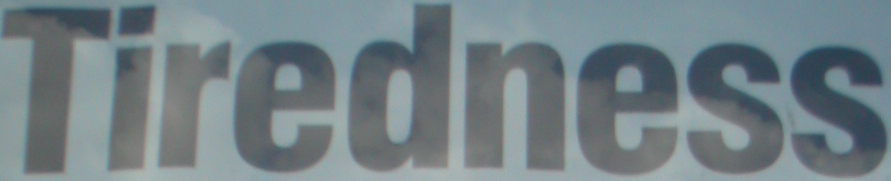
This image contains a large amount of text, and our goal is to recognize it. This image is from the SynthText in the Wild Dataset, which is quite large at 41GB. For learning purposes, instead of using the full dataset, we use the smaller Task 2.3: Word Recognition (2013 edition). The training and test data for this dataset are around 160MB, making it suitable for our learning needs. The image of this smaller dataset is as follows:
Data Reading
The official data reading lists include two files: the training data image list gt.txt and the test data image list Challenge2_Test_Task3_GT.txt. Their format is as follows:
word_1.png, "Tiredness"
word_2.png, "kills"
word_3.png, "A"
word_4.png, "short"
word_5.png, "break"
word_6.png, "could"
The part before word_1.png is the image path, and the part after, such as “Tiredness”, is the text content of the image.
To read this data, we first create a utility class:
def get_file_list(image_file_list):
    '''
    Generate a list of files for training and test data.
    :param image_file_list: Path to the image file and label list file
    :type image_file_list: str
    '''
    dirname = os.path.dirname(image_file_list)
    path_list = []
    with open(image_file_list) as f:
        for line in f:
            line_split = line.strip().split(',', 1)
            filename = line_split[0].strip()
            path = os.path.join(dirname, filename)
            label = line_split[1][2:-1].strip()
            if label:
                path_list.append((path, label))

    return path_list
By calling this method, we can obtain data information and generate readers for training and testing.
# coding=utf-8
import os
import cv2
from paddle.v2.image import load_image

class DataGenerator(object):
    def __init__(self, char_dict, image_shape):
        '''
        :param char_dict: Label dictionary class
        :type char_dict: class
        :param image_shape: Fixed image shape
        :type image_shape: tuple
        '''
        self.image_shape = image_shape
        self.char_dict = char_dict

    def train_reader(self, file_list):
        '''
        Training data reader
        :param file_list: Preprocessed image list containing labels and image paths
        :type file_list: list
        '''
        def reader():
            UNK_ID = self.char_dict['<unk>']
            for image_path, label in file_list:
                label = [self.char_dict.get(c, UNK_ID) for c in label]
                yield self.load_image(image_path), label
        return reader

    def load_image(self, path):
        '''
        Load image and convert to 1D vector
        :param path: Path to image data
        :type path: str
        '''
        image = load_image(path)
        image = cv2.cvtColor(image, cv2.COLOR_BGR2GRAY)

        # Resize all images to fixed shape
        if self.image_shape:
            image = cv2.resize(
                image, self.image_shape, interpolation=cv2.INTER_CUBIC)

        image = image.flatten() / 255.
        return image
To generate a label dictionary for characters in the training data, we use the following code:
def build_label_dict(file_list, save_path):
    """
    Build a label dictionary from training data
    :param file_list: Training data list containing labels
    :type file_list: list
    :params save_path: Path to save the label dictionary
    :type save_path: str
    """
    values = defaultdict(int)
    for path, label in file_list:
        for c in label:
            if c:
                values[c] += 1

    values['<unk>'] = 0
    with open(save_path, "w") as f:
        for v, count in sorted(
                values.iteritems(), key=lambda x: x[1], reverse=True):
            f.write("%s\t%d\n" % (v, count))
The load_dict function loads the label dictionary for use in training:
def load_dict(dict_path):
    """
    Load label dictionary from path
    :param dict_path: Path to label dictionary
    :type dict_path: str
    """
    return dict((line.strip().split("\t")[0], idx)
                for idx, line in enumerate(open(dict_path, "r").readlines()))
Finally, using PaddlePaddle’s API, we generate the trainer-ready reader:
reader=paddle.batch(
            paddle.reader.shuffle(
                data_generator.train_reader(train_file_list),
                buf_size=conf.buf_size),
            batch_size=conf.batch_size)
Defining the Trainer
The trainer is created using PaddlePaddle’s paddle.trainer.SGD interface:
trainer = paddle.trainer.SGD(cost=model.cost,
                             parameters=params,
                             update_equation=optimizer,
                             extra_layers=model.eval)
Defining the Neural Network Model
To define the model, we first specify data size and labels:
# Input image as a float vector
self.image = layer.data(
    name='image',
    type=paddle.data_type.dense_vector(self.image_vector_size),
    height=self.shape[1],
    width=self.shape[0])

# Label input as integer value sequence
if not self.is_infer:
    self.label = layer.data(
        name='label',
        type=paddle.data_type.integer_value_sequence(self.num_classes))
Next, we use a convolutional neural network to extract image features:
    def conv_groups(self, input, num, with_bn):
        '''
        Extract image features using convolutional groups
        :param input: Input layer
        :type input: LayerOutput
        :param num: Number of filters
        :type num: int
        :param with_bn: Whether to use batch normalization
        :type with_bn: bool
        '''
        assert num % 4 == 0

        filter_num_list = conf.filter_num_list
        is_input_image = True
        tmp = input

        for num_filter in filter_num_list:
            # Since it's grayscale, num_channels is 1
            if is_input_image:
                num_channels = 1
                is_input_image = False
            else:
                num_channels = None

            tmp = img_conv_group(
                input=tmp,
                num_channels=num_channels,
                conv_padding=conf.conv_padding,
                conv_num_filter=[num_filter] * (num / 4),
                conv_filter_size=conf.conv_filter_size,
                conv_act=Relu(),
                conv_with_batchnorm=with_bn,
                pool_size=conf.pool_size,
                pool_stride=conf.pool_stride, )

        return tmp
The convolutional features are then flattened into vectors:
# Extract image features via CNN
conv_features = self.conv_groups(self.image, conf.filter_num,
                                 conf.with_bn)

# Expand CNN output into feature vectors
sliced_feature = layer.block_expand(
    input=conv_features,
    num_channels=conf.num_channels,
    stride_x=conf.stride_x,
    stride_y=conf.stride_y,
    block_x=conf.block_x,
    block_y=conf.block_y)
RNNs are used to capture sequence information:
# Use RNN to capture forward and backward sequence information
gru_forward = simple_gru(
    input=sliced_feature, size=conf.hidden_size, act=Relu())
gru_backward = simple_gru(
    input=sliced_feature,
    size=conf.hidden_size,
    act=Relu(),
    reverse=True)

# Map RNN outputs to character distribution
self.output = layer.fc(input=[gru_forward, gru_backward],
                       size=self.num_classes + 1,
                       act=Linear())

self.log_probs = paddle.layer.mixed(
    input=paddle.layer.identity_projection(input=self.output),
    act=paddle.activation.Softmax())
Finally, we compute the loss (cost) and evaluation layers:
if not self.is_infer:
    self.cost = layer.warp_ctc(
        input=self.output,
        label=self.label, size=self.num_classes + 1,
        norm_by_times=conf.norm_by_times,
        blank=self.num_classes)

    self.eval = evaluator.ctc_error(input=self.output, label=self.label)
Optimizer and parameters initialization:
# Create training parameters
params = paddle.parameters.create(model.cost)

# Create optimizer
optimizer = paddle.optimizer.Momentum(momentum=conf.momentum)
Starting Training
Training requires four parameters: reader, feeding, event_handler, and num_passes.
Define data layer relationships:
# Define data layer mappings
feeding = {'image': 0, 'label': 1}
Define training events for logging:
# Training event handler
def event_handler(event):
    if isinstance(event, paddle.event.EndIteration):
        if event.batch_id % conf.log_period == 0:
            print("Pass %d, batch %d, Samples %d, Cost %f, Eval %s" %
                  (event.pass_id, event.batch_id, event.batch_id *
                   conf.batch_size, event.cost, event.metrics))

    if isinstance(event, paddle.event.EndPass):
        # Test using training reader (shared format for simplicity)
        result = trainer.test(
            reader=paddle.batch(
                data_generator.train_reader(test_file_list),
                batch_size=conf.batch_size),
            feeding=feeding)
        print("Test %d, Cost %f, Eval %s" %
              (event.pass_id, result.cost, result.metrics))
        # Save parameters
        with gzip.open(
                os.path.join(model_save_dir, "params_pass.tar.gz"), "w") as f:
            trainer.save_parameter_to_tar(f))

num_passes=conf.num_passes
Initialize PaddlePaddle and start training:
paddle.init(use_gpu=conf.use_gpu, trainer_count=conf.trainer_count)
Starting Prediction
After training parameters are available, we perform inference:
def infer(model_path, image_shape, label_dict_path,infer_file_list_path):

    infer_file_list = get_file_list(infer_file_list_path)
    # Load label dictionary and reverse mapping for decoding
    char_dict = load_dict(label_dict_path)
    reversed_char_dict = load_reverse_dict(label_dict_path)
    dict_size = len(char_dict)

    # Initialize data generator
    data_generator = DataGenerator(char_dict=char_dict, image_shape=image_shape)

    # Initialize PaddlePaddle for inference
    paddle.init(use_gpu=True, trainer_count=conf.trainer_count_infer)

    # Load trained parameters
    parameters = paddle.parameters.Parameters.from_tar(gzip.open(model_path))

    # Build inference model and predictor
    model = Model(dict_size, image_shape, is_infer=True)
    inferer = paddle.inference.Inference(output_layer=model.log_probs, parameters=parameters)

    # Prepare test batch and labels
    test_batch = []
    labels = []
    for i, (image_path, label) in enumerate(infer_file_list):
        image = data_generator.load_image(image_path)
        test_batch.append([image])
        labels.append(label)

    # Perform inference and decode
    infer_batch(inferer_inferer, test_batch, labels,inferer_inferer, test_batch,labels,reversed_char_dict,inferer_inferer_reversed_char_dict)
The ctc_greedy_decoder function decodes predictions using the CTC greedy algorithm:
def ctc_greedy_decoder(probs_seq,vocabulary):
    """CTC Greedy (Best Path) Decoder"""
    for probs in probs_seq:if not len(probs) == len(vocabulary)+1:raise ValueError("Dimension mismatch")
    max_index_list = np.argmax(probs_seq(axis=1))
    index_list = [index_group[0] for index_group in groupby(max_index_list)]
    blank_index = len(vocabulary);index_list = [index for index in index_list if index != blank_index]
    return''.join([vocabulary[index] for index in index_list])
In the main function, we run the inference:
if __name__ == "__main__":
    infer_file_list_path = '../data/test_data/challenge2_test_task_gt.txt'
    model_path = '../models/params_pass.tar.gz'
    image_shape = (173, 46)
    label_dict_path = '../data/label_dict.txt'
    infer(model_path, image_shape, label_dict_path, infer_file_list_path))
Prediction results show limitations due to small dataset size, but can be improved by adjusting model configurations.
Project Code
GitHub Repository Address:https://github.com/yeyupiaoling/LearnPaddle
References
- http://paddlepaddle.org/
- http://www.robots.ox.ac.uk/~vgg/data/scenetext/